
In the Tags module, you can find the complete list of tags with their current, minimum, maximum and average values which have been uploaded by the data logger.
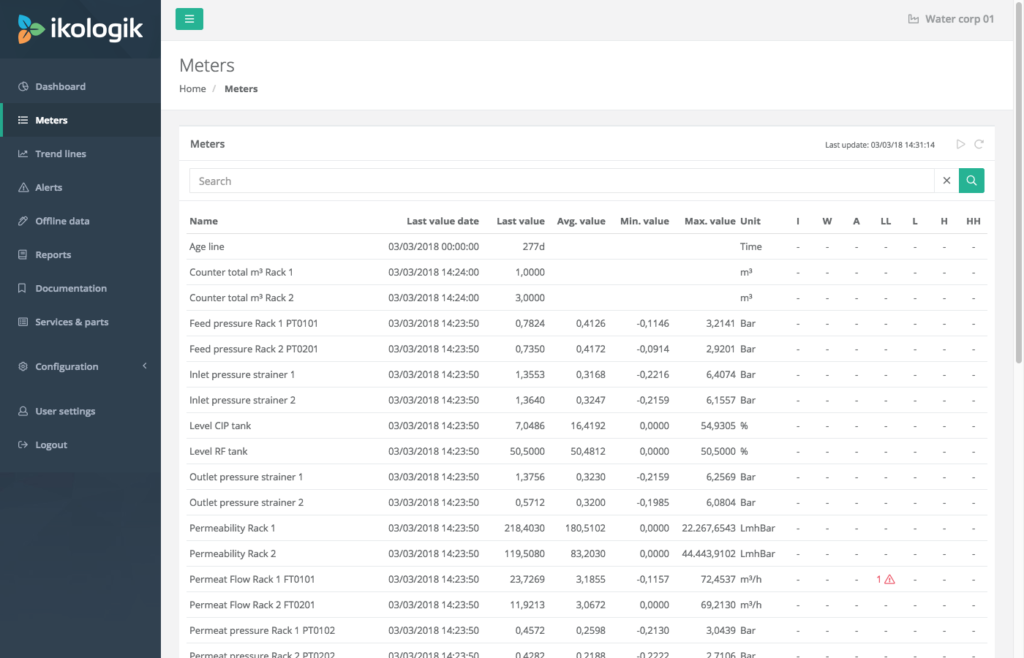
The columns on the right-hand side display the number of active alert types related to the tag. Depending on the type of alert that is active, the icon is coloured grey, orange for warnings or red for alerts. When hovering over the active icons, the list of active alerts is displayed.
In the screenshot above, you notice one alert type is active for the Permeate flow tag.
Auto-reload
By default, the tag list is not reloaded automatically. To enable the auto-reload, press the play button on the upper-right corner. The date and time of the last reload are displayed next to the auto-reload button.